.avif)
TL;DR
- Core Difference: LinkedIn InMail lets you message anyone on the platform without connecting first, whereas standard LinkedIn messages require a 1st-degree connection and cold emails face strict inbox filters.
- Higher Engagement: InMail delivers significantly better performance than cold email, boasting 57.5% open rates (vs. 21.5% for email) and 18–25% response rates (vs. 3–8% for cold email).
- Instant Trust & Deliverability: Because InMails are tied to your full LinkedIn profile, they build immediate credibility and land straight in the recipient's primary LinkedIn inbox without going to spam.
- Key Limitations: InMail usage is capped by monthly credit limits depending on your LinkedIn plan (ranging from 5 to 150+ credits/month), though credits are refunded when recipients reply.
- Outreach Automation: Tools like SalesRobot help scale InMail campaigns by targeting prospects, personalizing bulk messages, automating follow-ups, and leveraging AI voice and video messages safely.
Let's be honest,reaching out to people professionally is harder than ever.
Your emails are getting lost in crowded inboxes, buried under newsletters, or worst of all ending up in spam.

You spend time crafting the perfect message, and then… crickets.
Meanwhile, platforms like LinkedIn have quietly transformed into powerful networking machines.
And one feature, in particular, is changing the game: InMail.
But here's the big question:
Is InMail really better than a regular email?
And more importantly, when should you use which one?
That's exactly what we're diving into here. So lets go
What Is LinkedIn InMail (and How Is It Different From a Message)?
If you've used LinkedIn, you've probably sent a message or two. But here's the thing, not all messages on LinkedIn are created equal.
InMail is LinkedIn's premium messaging feature. It lets you message anyone on the platform even if you're not connected. That's the big deal. No need to send a connection request first. No need to wait.
Regular LinkedIn messages? You can only send those to people you're already connected with (1st-degree connections). That's limiting, especially if you're in sales, recruiting, or trying to expand your network fast.
Here's a quick breakdown:
InMail vs. LinkedIn Message Request
So, InMail isn't just another inbox, it's a direct line to decision-makers, prospects, and talent, without needing to be in their circle.
And when used right, it works like a charm.
Understanding Email in Outreach
Now let's talk about the OG of digital communication email.
Everyone uses it. It's familiar. It's free (mostly).
And it gives you complete control over how your message looks whether it's plain text or a fully branded HTML masterpiece.
But here's the catch: everyone's using it.
Your message is competing with dozens (if not hundreds) of others. Newsletters, promos, invoices, spam... It's chaos in there.
Even if your email is perfectly written, there's a good chance it won't get seen. With 10.5% of emails getting filtered into spam folders and 48% of marketers struggling to avoid the spam folder, your carefully crafted message might never reach its intended recipient.
Still, email has its strengths:
But when it comes to grabbing attention, especially in a professional setting?
Email is starting to fall short. People are skeptical, cautious, and quick to delete.
That's where LinkedIn InMail has a serious edge.
InMail vs. Email: Core Differences
Alright let's put them head to head.
Both InMail and email are used for outreach. But they're very different tools, meant for very different jobs.
Here's a simple breakdown to show you how they stack up:
InMail vs. Email: Quick Comparison
So, Which One's Better?
If you're reaching out to professionals, decision-makers, or potential hires, InMail wins.
Why? It shows up in a place people trust: their LinkedIn inbox. It comes with your face, job title, and full profile attached. That's instant credibility.
Email still works. It's not dead. But it's noisier, easier to ignore, and a lot less personal.
In the next section, we'll break down exactly why InMail performs better and why more pros are switching to it.
Is InMail Better Than Email? Here's the Case for InMail
Let's cut to it - yes, InMail is better than email in most professional outreach scenarios.
Here's why.
1. It feels more personal
You're not just a random message in a cluttered inbox.You show up with your name, photo, job title, and profile right there. That builds instant trust. People can check you out before replying. You're a real person, not just another cold email.
2. It lands where people are paying attention
LinkedIn is a platform where people expect professional messages. They're not here to scroll memes—they're here for opportunities. That alone makes them more likely to open and reply to your message.
3. It avoids spam filters completely
InMails don't go to junk. They don't get buried under promotions. They go straight to the recipient's LinkedIn inbox, with a notification.
4. It gets better results
InMails typically have higher open and response rates than cold emails. With response rates of 18-25% compared to cold email's 3-8%, the numbers speak for themselves.
Why? Less noise. More context. And it feels intentional—not spammy.
Now, that's not to say email doesn't have its place.
But if you're looking to:
Then InMail gives you a serious advantage.
And when you pair it with automation? That's where things get really interesting.
But remember, the number of InMails you can send depends on
⚠️ REMEMBER: THERE ARE NO SPECIFIC NUMBER OF INMAILS YOU CAN SEND
10 High-Converting InMail Templates by Industry & Scenario
You've seen how powerful InMail can be. But the magic really happens when you say the right thing to the right person at the right time.
Below are 10 InMail message templates tailored for specific industries and outreach goals. Use these as is, or tweak them to fit your voice.
1. SaaS Sales – Decision Maker Outreach
Subject: Boosting [Pain Point] at [Their Company]
Hi [First Name],
I noticed your team at [Company] is working on [relevant initiative or challenge]. We recently helped [Similar Company] reduce [pain point] by [X%].
Think it might be relevant—open to a quick chat?
Best,
[Your Name]
2. Tech Recruiting – Passive Candidate Outreach
Subject: Loved your work on [specific tech topic]
Hey [First Name],
Saw your [GitHub/project/post]—really impressive stuff.
We're hiring [Role] at [Company], remote-friendly, modern stack, and solid team culture. Are you open to hearing more?
Warmly,
[Your Name]
3. Healthcare – Outreach to Hospital Decision-Makers
Subject: Helping hospitals simplify [admin/claims/etc.]
Hi [First Name],
We've been working with teams like [Hospital/Health System] to cut down [time or costs] on [process].
Could be a good fit for [Their Org]—worth exploring?
Best,
[Your Name]
4. Fintech – CFO or VP of Finance Outreach
Subject: Automating financial operations
Hi [First Name],
Came across your work at [Company]. Thought I'd reach out—we're helping finance teams save hours by automating [pain point].
Think it's worth 10 minutes?
Cheers,
[Your Name]
5. EdTech – Partnership with Academic Institutions
Subject: EdTech collab with [Their School Name]?
Hi [First Name],
We're working with schools like [X] and [Y] to modernize classrooms without adding more pressure on teachers.
Would love to show you how we do it.
Best,
[Your Name]
6. eCommerce Solutions – Pitching Store Owners
Subject: Idea to boost [sales/conversions]
Hey [First Name],
Saw your store [Store Name]—really liked the layout and product range.
We've helped similar brands improve checkout flow + sales with a small tweak. Want to see what that looks like?
Best,
[Your Name]
7. Logistics/Supply Chain – Ops Manager Outreach
Subject: Helping teams move faster (literally)
Hi [First Name],
Reaching out because we've helped teams like [X] streamline [process] and cut delivery times by [X%].
Would love to show you how—interested?
Regards,
[Your Name]
8. HR/PeopleOps – Employee Experience Tool
Subject: Helping HR teams keep employees happy
Hi [First Name],
Saw you're leading People Ops at [Company]. We've built a platform to boost employee engagement—without more HR admin.
Open to a quick intro call?
Cheers,
[Your Name]
9. Marketing Services – Agency Pitch
Subject: Small change, big results
Hey [First Name],
We recently helped [Client Type] increase [result] by [X%] through better ad targeting. Thought of you when I saw [something about their brand or campaign].
Want the 2-min version?
Cheers,
[Your Name]
10. Travel/Hospitality Tech – Hotel or Tourism Manager
Subject: Modern tools for guest satisfaction
Hi [First Name],
We work with boutique hotels like [X] to increase bookings and improve guest experience—no tech headaches.
Think it could help [Hotel Name]?
Let's connect?
Best,
[Your Name]
InMail Limitations and How to Work Around Them
Okay so InMail sounds great.
But let's be real: it's not perfect out of the box.
There are limits. Especially if you're sending messages at scale.
Let's walk through the big ones:
Is LinkedIn InMail Paid?
Yes.
InMail isn't free. You need a LinkedIn Premium, Sales Navigator, or Recruiter account to get access.
But the good news? The cost comes with perks, like better delivery, more credibility, and access to people outside your network.
How Many InMails Can You Send Per Month?
That depends on your LinkedIn plan:
You also earn credits back if someone replies, so high-performing messages go further.
What About Daily Limits?
LinkedIn doesn't cap InMails per day, but your monthly credit is fixed.
Once you hit that, you're done unless you upgrade or wait for next month.
So… What's the Workaround?
This is where smart outreach strategies (and smarter tools) come in.
Imagine being able to:
That's exactly what SalesRobot is built to do.
We'll dig into that next. But just know InMail limits don't have to limit your growth
How SalesRobot Supercharges Your InMail Outreach
Imagine this: You upload your target list, craft a personalized InMail template, and hit send all in a few clicks.
Your messages go out steadily, smartly, and safely. No manual work. No guesswork.all possible because you are using SalesRobot.
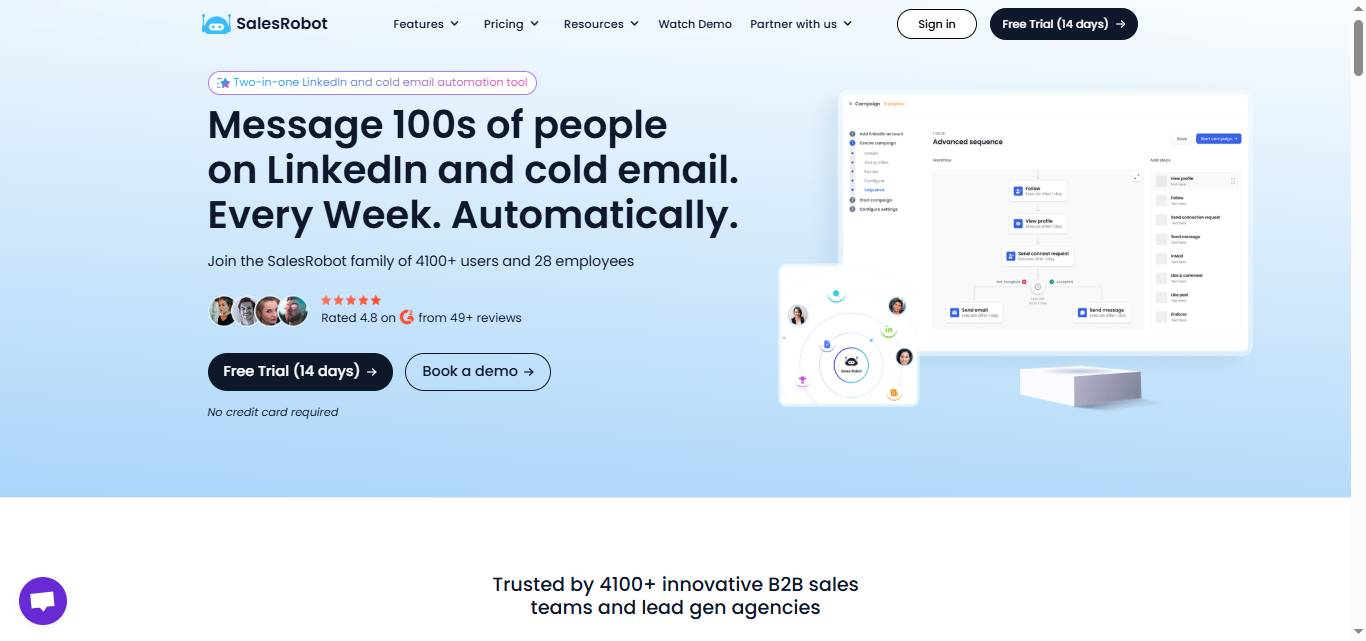
But first let me introduce you to the tool- With SalesRobot you can automate all LinkedIn + Email outreach with hyper-personalized messages and automatic sequencing.
Here's how our tool makes that happen:
Smart Targeting
Find and filter your ideal prospects with advanced LinkedIn search features built right in.
No more wasting InMail credits on the wrong people.
Personalized Bulk Messaging
Use dynamic fields like {first name}, {company}, or {industry} to keep every message personal.
Your recipients get a tailored note, not a generic blast.
AI Voice & Video Messages (unique to SalesRobot)
Send AI-personalized voice notes and video messages on LinkedIn at scale—clone yourself so each lead gets a personalized video. Users report 40%+ reply rates on voice note campaigns. No other major tool (Expandi, Waalaxy, Dripify, HeyReach) does this natively. (Available on all paid plans, up to 50/day.)
Automated Follow-Ups
Set up follow-up sequences that nudge prospects who don't reply—without spamming.
Stay top-of-mind effortlessly.
Real-Time Analytics
Track opens, replies, and conversion rates on a clean dashboard.Know exactly what's working so you can optimize your outreach.
LinkedIn Safe Automation
SalesRobot runs in the cloud 24/7 (no Chrome extension needed) and uses LinkedIn's mobile app APIs on the backend with dedicated residential IPs and human-like behavior simulation—reducing ban risk to 0.00001%. That's far safer than browser-extension tools like Expandi, Waalaxy, or Dux-Soup.
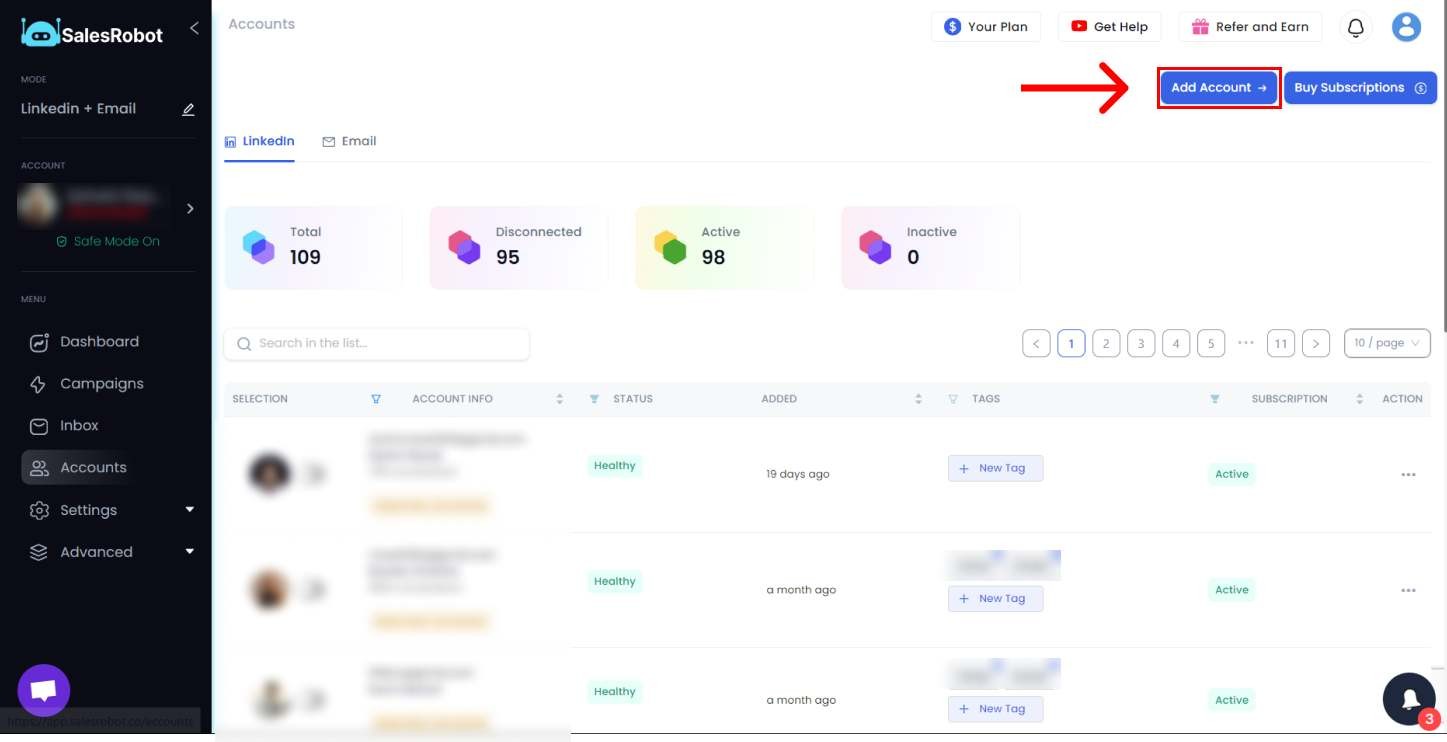
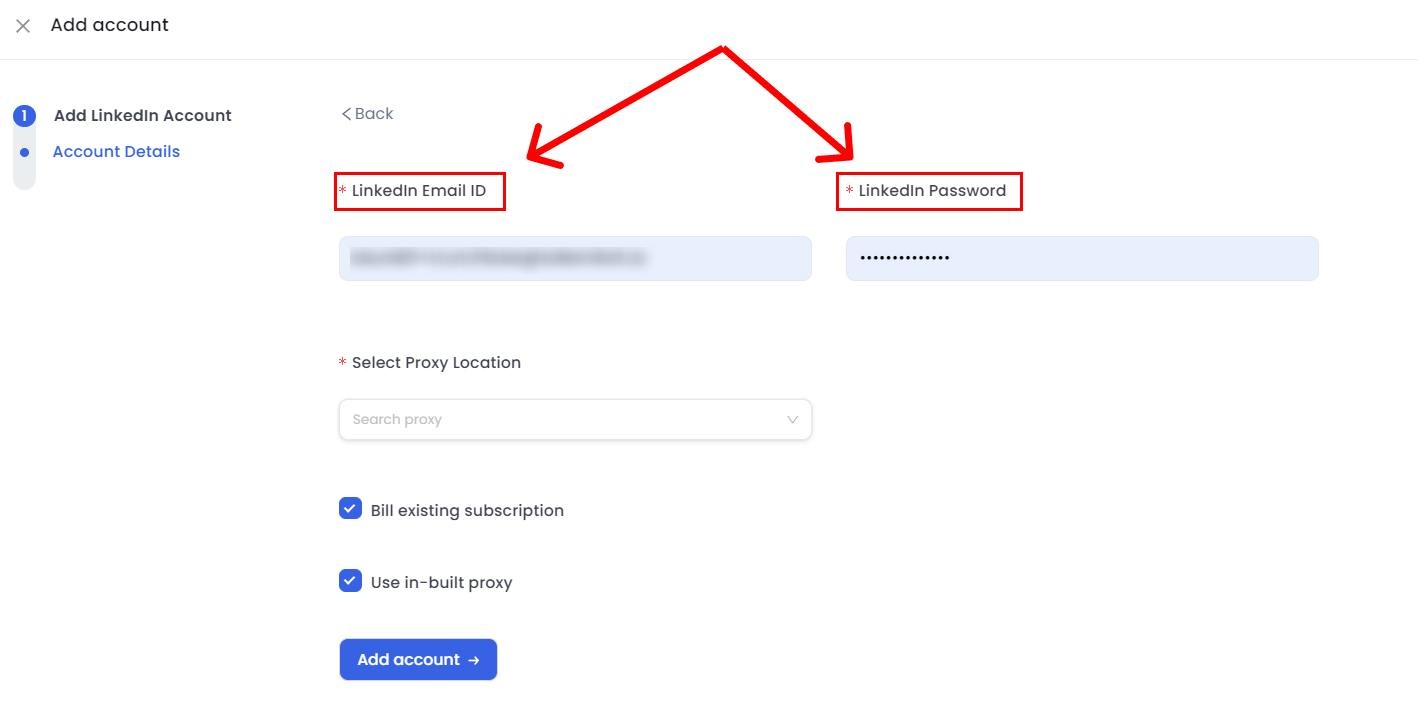
To begin, you will need to link your LinkedIn account to SalesRobot.
1. Connect Your LinkedIn Account
2. Start a New Campaign
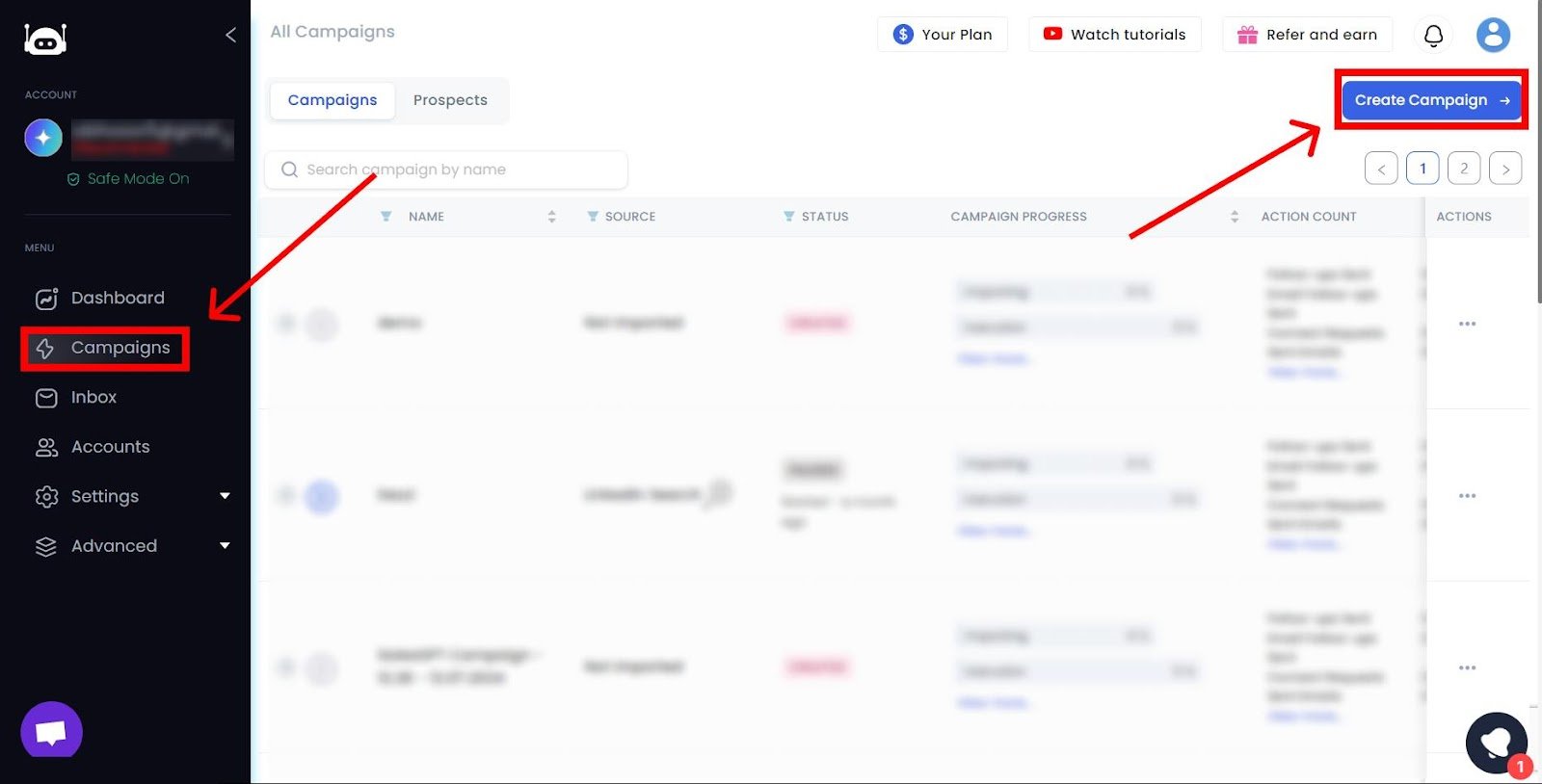

3. Name Your Campaign & Add Target Prospects

4. Configure Your Campaign Settings
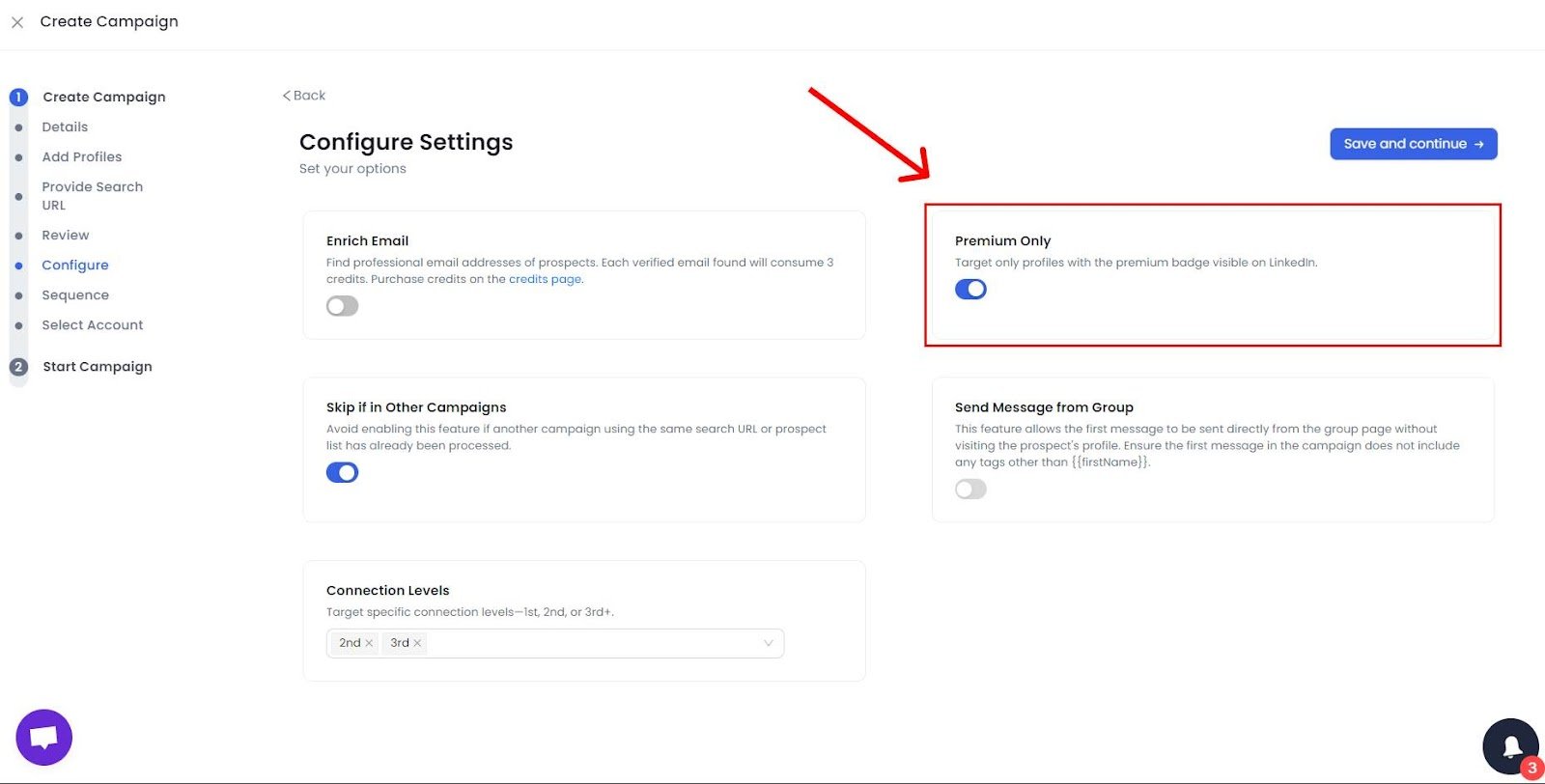
5. Craft Your Message Sequence

6. Write Your InMail & Get Instant Feedback

7. Add Additional Follow-Ups (Optional)

8. Use Hyper-Personalization to Stand Out
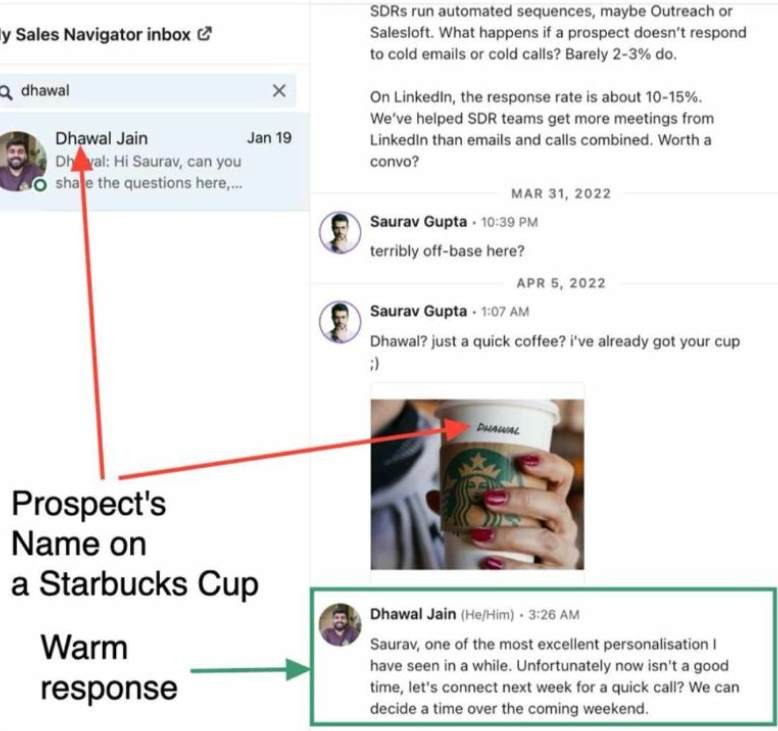
And that's it—you're ready to go live!
The best part is you can watch all these unfolding infront of your eyes that too free for 14 days.
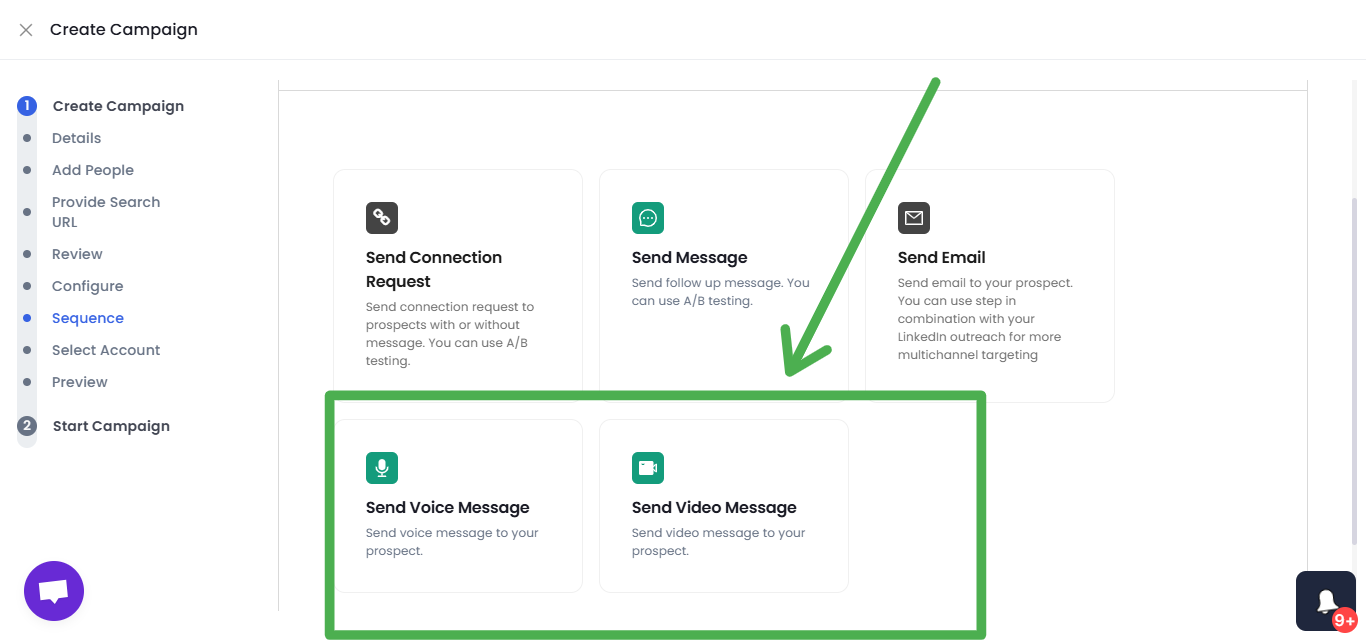
9. You can even send voice and video notes to personalize your outreach further, not to mention, you can use AI Variables so your prospect thinks you actually went through their profile.
10. Our AI Appointment Setter actually responds to prospects on your behalf, so just focus on closing the deal instead of an endless back-and-forth.

Frequently Asked Questions
How much does LinkedIn Premium cost in 2026?
Premium Career is $39.99/month for new subscribers (older accounts often kept at $29.99), Premium Business is around $59.99–$69.99/month, and Sales Navigator Core rose to $119.99/month in 2026. Annual billing can cut these by roughly 20–50%.
Do LinkedIn InMail credits roll over if unused?
Yes, but only up to a cap of three months' worth. Premium Career caps at 15 credits, Premium Business at 45, Sales Navigator at 150, and Recruiter Lite at 120. You also get a credit refunded whenever a recipient responds within 90 days.
Can you send InMail for free on LinkedIn?
Yes. If a recipient has enabled Open Profile (a LinkedIn Premium setting), you can message them for free with no InMail credit used and no connection request needed. Tools like SalesRobot can auto-detect Open Profiles and send these free InMails at scale, up to 50 per day.
Conclusion
We've come a long way from understanding what InMail is, to why it beats traditional email, and finally how automation takes it to the next level.
Here's the bottom line:
If you want your outreach to be more personal, more efficient, and more effective, it's time to stop relying on cold emails and start leveraging LinkedIn InMail powered by SalesRobot.
Your next client, hire, or opportunity might just be one message away.
So, why wait?
Try our SalesRobot with its 14 days free trial ( no credit card required) and experience the future of professional outreach.

Wow your leads by cloning yourself and sending personalized videos and voice notes to each lead on LinkedIn.
If you don't reply to leads within 5 mins, your chances of converting them fall by 50%. Our AI replies on your behalf instantly! (and yes, you can train it)

Don't shoot in the dark. Get detailed analytics on what's working

SalesRobot allows you to invite other team members, so that they can add their LinkedIn Account, run outreach campaigns and get amazing results just like you.
.avif)


Trusted by 4100+ innovative B2B sales teams and lead gen agencies

.avif)

.avif)




.avif)


Heading 1
Heading 2
Heading 3
Heading 4
Heading 5
Heading 6
Lorem ipsum dolor sit amet, consectetur adipiscing elit, sed do eiusmod tempor incididunt ut labore et dolore magna aliqua. Ut enim ad minim veniam, quis nostrud exercitation ullamco laboris nisi ut aliquip ex ea commodo consequat. Duis aute irure dolor in reprehenderit in voluptate velit esse cillum dolore eu fugiat nulla pariatur.
Block quote
Ordered list
- Item 1
- Item 2
- Item 3
Unordered list
- Item A
- Item B
- Item C
Bold text
Emphasis

Superscript
Subscript